
Running Multiple App Copies Locally with Git Worktrees and Caddy
Stable URLs and isolated databases for apps running from several worktrees.
📚 Companion post: Git Worktrees for Agentic Development explains why worktrees are useful when people or coding agents work on several branches at once.
Most local development setups assume that only one copy of the application is running. The frontend always uses one port, the API always uses another, and every branch connects to the same local database. That assumption is invisible while you work on one branch at a time.
Git worktrees change the equation. They give each branch a separate directory, but they do not isolate anything the application uses at runtime. Start the app from a second worktree and both copies compete for the same ports. Change one copy to use different ports and its frontend still needs to find the matching API. Even after both copies start, they can write to the same database.
This is more than inconvenient bookkeeping. You can open the frontend from one branch while it silently calls the API from another, or test a data change against records created by a different worktree. Two developers or coding agents can interfere with each other even though their source files are isolated.
What we want is one independently addressable application copy per worktree, with isolated data, without starting another copy of every heavyweight dependency.
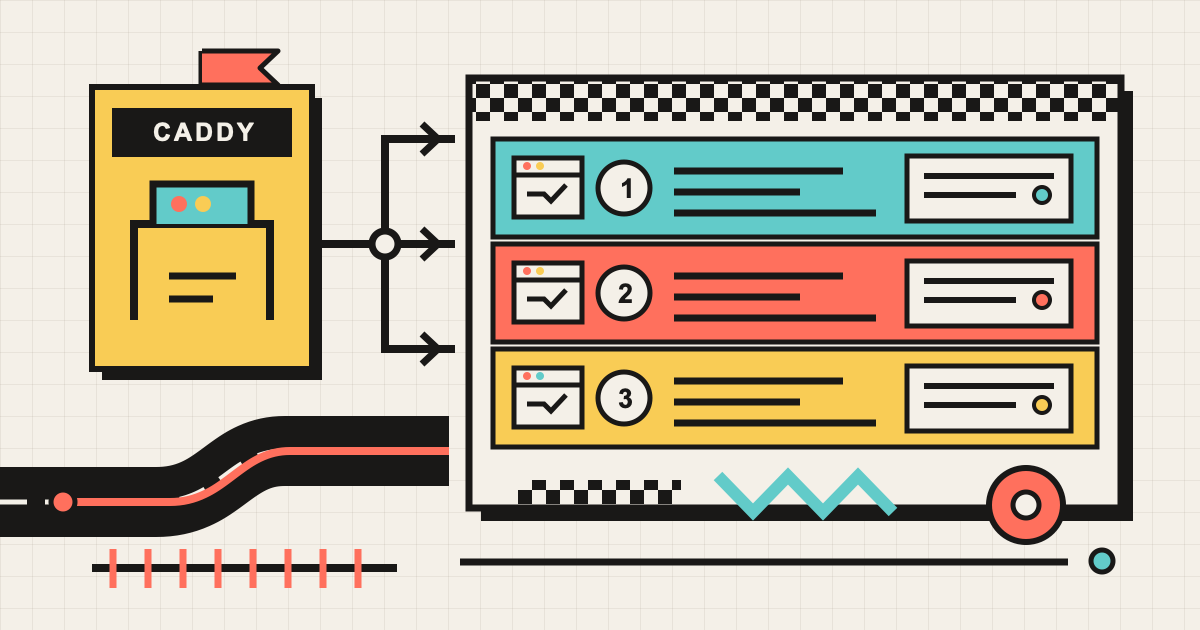
This post builds that model with development slots and Caddy. A slot is a name for one running copy of the application and its data boundary. The sample derives that name from the current Git branch, so each worktree naturally gets its own slot. Caddy acts as a shared reverse proxy, giving every slot stable URLs while its frontend and API run on separate high-numbered ports. You can also provide a slot name explicitly.
Each slot gets:
- A stable frontend URL such as
http://feature-search.multi-agent-wt.localhost:8088. - A stable API URL such as
http://api-feature-search.multi-agent-wt.localhost:8088. - Its own frontend and API ports behind those URLs.
- Its own Cosmos DB database, such as
multi-agent-wt-feature-search.
All slots share one Caddy proxy and one Cosmos DB emulator.
🧪 Try the complete sample
The working sample is in
MultiAgentWorktrees.
It contains a React frontend, a .NET API, Docker Compose infrastructure, and the slot script used in
this post.
You need:
- Docker Desktop or Docker Engine with Compose
- .NET 10 SDK
- Node.js and pnpm
- Bash and
curl(macOS, Linux, or WSL for multi-slot mode)
From the sample directory, run:
./start-multislot.sh infra-up
./start-multislot.sh up
The first command starts the shared Cosmos DB emulator and Caddy. The second command:
- Gets the slot name from your current git branch.
- Assigns stable frontend and API ports.
- Chooses a database name for the slot; the API creates it on startup.
- Starts the API and frontend.
- Adds both hostnames to Caddy.
On the main branch, it prints:
Slot 'main' is ready.
  Frontend: http://main.multi-agent-wt.localhost:8088
  API:      http://api-main.multi-agent-wt.localhost:8088
  Database: multi-agent-wt-main
  Logs:     /Users/you/.config/multi-agent-wt/slots/main
Open the frontend URL and add a note. That note is stored only in this slot’s database.
If you are not in a git branch, or want a specific name, pass one:
./start-multislot.sh up demo
That is the entire daily startup flow.
🌿 Run a second branch
Create a worktree from your main clone:
git worktree add ../samples-feature-search -b feature/search
Enter that worktree and start its slot:
cd ../samples-feature-search/MultiAgentWorktrees
./start-multislot.sh up
Now both copies run at the same time:
| Branch | Frontend | Database |
|---|---|---|
main |
http://main.multi-agent-wt.localhost:8088 |
multi-agent-wt-main |
feature/search |
http://feature-search.multi-agent-wt.localhost:8088 |
multi-agent-wt-feature-search |
Adding a note in one frontend does not make it appear in the other.
🧭 How the pieces fit together
At a high level, Caddy sends each hostname to the matching slot. Each slot has its own frontend, API, and database name, while the proxy and database server are shared.
flowchart TB
  Browser[Browser] --> Caddy[Caddy reverse proxy<br/>shared entry point on port 8088]
  Caddy -->|main hostname| Main[main slot<br/>Vite + .NET API]
  Caddy -->|feature hostname| Feature[feature slot<br/>Vite + .NET API]
  Main -->|multi-agent-wt-main| Cosmos[(Shared Cosmos emulator)]
  Feature -->|multi-agent-wt-feature-search| Cosmos

  classDef client fill:#e8f1fb,stroke:#2463a2,color:#102a43,stroke-width:2px
  classDef proxy fill:#fff3cd,stroke:#9a6700,color:#4d3500,stroke-width:2px
  classDef mainSlot fill:#e6f4ea,stroke:#287d3c,color:#163d22,stroke-width:2px
  classDef featureSlot fill:#fce8e6,stroke:#b4473a,color:#5f2019,stroke-width:2px
  classDef data fill:#f3e8ff,stroke:#7b3fa1,color:#3d2053,stroke-width:2px

  class Browser client
  class Caddy proxy
  class Main mainSlot
  class Feature featureSlot
  class Cosmos data
Here are the request routes in more detail:
flowchart LR
  Browser[Browser]

  subgraph Docker[Shared Docker infrastructure]
    Caddy[Caddy reverse proxy<br/>port 8088]
    Cosmos[(Cosmos DB emulator)]
  end

  subgraph Main[main slot]
    MainUI[Vite<br/>host port 4xxxx]
    MainAPI[.NET API<br/>host port 2xxxx]
  end

  subgraph Feature[feature-search slot]
    FeatureUI[Vite<br/>host port 4yyyy]
    FeatureAPI[.NET API<br/>host port 2yyyy]
  end

  Browser -->|main.multi-agent-wt.localhost:8088| Caddy
  Browser -->|api-main.multi-agent-wt.localhost:8088| Caddy
  Browser -->|feature-search.multi-agent-wt.localhost:8088| Caddy
  Browser -->|api-feature-search.multi-agent-wt.localhost:8088| Caddy
  Caddy --> MainUI
  Caddy --> MainAPI
  Caddy --> FeatureUI
  Caddy --> FeatureAPI
  MainAPI -->|database: multi-agent-wt-main| Cosmos
  FeatureAPI -->|database: multi-agent-wt-feature-search| Cosmos

  classDef client fill:#e8f1fb,stroke:#2463a2,color:#102a43,stroke-width:2px
  classDef proxy fill:#fff3cd,stroke:#9a6700,color:#4d3500,stroke-width:2px
  classDef mainSlot fill:#e6f4ea,stroke:#287d3c,color:#163d22,stroke-width:2px
  classDef featureSlot fill:#fce8e6,stroke:#b4473a,color:#5f2019,stroke-width:2px
  classDef data fill:#f3e8ff,stroke:#7b3fa1,color:#3d2053,stroke-width:2px

  class Browser client
  class Caddy proxy
  class MainUI,MainAPI mainSlot
  class FeatureUI,FeatureAPI featureSlot
  class Cosmos data

  style Docker fill:#fffaf0,stroke:#9a6700,stroke-width:2px
  style Main fill:#f3faf5,stroke:#287d3c,stroke-width:2px
  style Feature fill:#fff5f3,stroke:#b4473a,stroke-width:2px
There are two kinds of resources:
🏗️ Shared infrastructure, started once:
- Caddy listens on port
8088and routes requests by hostname. - The Cosmos DB emulator listens on port
8081and hosts many databases.
📦 Per-slot processes, started in each worktree:
- One Vite dev server.
- One .NET API process.
- One Cosmos database name.
🔀 What Caddy and a reverse proxy do
A proxy receives a request on behalf of another server. A reverse proxy sits in front of application servers: the browser connects to the proxy, and the proxy chooses which application process should receive the request. The application port stays hidden behind the proxy’s stable address.
In this sample, Caddy is the reverse proxy. Every frontend and API URL reaches Caddy on port 8088.
Caddy reads the HTTP Host header, matches it against a route, and forwards the request to the
corresponding process running on a high-numbered host port. The response returns through Caddy to
the browser.
Caddy only handles routing. The worktree isolates source files, while the slot script starts the processes and chooses a database name.
🌐 Why the local hostnames work
Names ending in .localhost resolve to the loopback address in modern browsers. You do not need to
add every slot to /etc/hosts.
Caddy receives all traffic on port 8088. It uses the request hostname to choose an upstream:
http://feature-search.multi-agent-wt.localhost:8088 {
	reverse_proxy host.docker.internal:40123
}

http://api-feature-search.multi-agent-wt.localhost:8088 {
	reverse_proxy host.docker.internal:20123
}
The actual port numbers do not matter to the person using the app. Caddy hides them behind readable, predictable URLs.
The Caddy container reaches host-run processes through host.docker.internal. The Compose file adds
a host-gateway mapping for Docker Engine on Linux; Docker Desktop provides the same hostname on
macOS and Windows.
The browser calls the frontend hostname to load the UI. The frontend then calls its own API hostname, which also goes through Caddy. Caddy does not forward traffic to Cosmos DB: each API connects directly to the shared emulator.
🔒 Why the data stays isolated
Running one Cosmos emulator per worktree would use unnecessary memory. Instead, every API connects to the same endpoint but uses a different database name:
Cosmos__Endpoint="https://localhost:8081"
Cosmos__Database="multi-agent-wt-feature-search"
.NET maps the double underscore in Cosmos__Database to the configuration key
Cosmos:Database.
The sample API uses the current Linux-based Cosmos DB emulator image in HTTPS mode:
cosmos:
  image: mcr.microsoft.com/cosmosdb/linux/azure-cosmos-emulator:vnext-latest
  command: ["--protocol", "https"]
  ports:
    - "8080:8080" # readiness endpoint
    - "8081:8081" # Cosmos endpoint
    - "1234:1234" # Data Explorer
The vNext emulator supports the API for NoSQL in gateway mode, so the .NET client sets it explicitly:
var cosmos = new CosmosClient(endpoint, key, new CosmosClientOptions
{
    ConnectionMode = ConnectionMode.Gateway,
    ServerCertificateCustomValidationCallback = (_, _, _) => true,
});
The certificate bypass is for the local emulator only. Do not use it with a production Cosmos DB account.
🗂️ What the slot script records
Each slot has a small state directory under ~/.config/multi-agent-wt/slots:
~/.config/multi-agent-wt/slots/feature-search/
├── env
├── Caddyfile
├── api.pid
├── api.log
├── frontend.pid
└── frontend.log
The script lowercases the slot name and replaces non-alphanumeric runs with hyphens. It then hashes
that sanitized name into a stable numeric offset, adds the offset to base ports 20000 and 40000,
and checks known slots and listening ports for a collision before starting anything.
The script injects the matching API URL into the Vite process:
VITE_API_BASE=http://api-feature-search.multi-agent-wt.localhost:8088
Vite listens on all host interfaces so Caddy’s container can reach it:
pnpm exec vite --host 0.0.0.0 --port "$frontend_port" --strictPort
You do not need to copy the full orchestration script from this article. Use the tested
start-multislot.sh
from the sample.
🚀 What happens when a slot starts
Starting a slot does five things:
- Pick a name and two free ports for the slot.
- Start the API and create the slot’s database if needed.
- Start the frontend and point it to the slot’s API.
- Tell Caddy which URLs belong to the new slot.
- Check that the frontend and API work. If they do not, stop the slot and remove its Caddy routes.
Caddy and the Cosmos emulator are already running. A new slot adds only a frontend, an API, a database name, and two Caddy routes.
sequenceDiagram
    actor Developer
    participant Script as start-multislot.sh
    participant API as .NET API
    participant UI as Vite
    participant Caddy
    participant Cosmos as Cosmos emulator

    rect rgb(232, 241, 251)
    Developer->>Script: up feature-search
    Script->>Script: clean name and pick ports
    end
    rect rgb(230, 244, 234)
    Script->>API: start with its database name
    API->>Cosmos: create database if needed
    Script->>UI: start with the matching API URL
    end
    rect rgb(255, 243, 205)
    Script->>Caddy: add routes and reload
    Script->>Caddy: open API and frontend URLs
    Caddy->>API: check API health
    Caddy->>UI: check frontend
    Script-->>Developer: show URLs and database name
    end
🛑 Stop and inspect slots
List all known slots:
./start-multislot.sh status
Stop only the current branch’s slot:
./start-multislot.sh down
Stop a named slot:
./start-multislot.sh down feature-search
When no slots remain, stop shared infrastructure:
./start-multislot.sh infra-down
The script refuses to stop shared infrastructure while known slots still exist. Normal shutdown also preserves the Cosmos Docker volume, so your local data survives a restart.
♻️ The pattern to reuse
You can adapt the sample to another project by changing four things:
- Replace
multi-agent-wt.localhostwith your local domain. - Replace the commands that start the frontend and API.
- Pass a slot-specific database, schema, or tenant name to your backend.
- Keep shared services in the infrastructure Compose file and lightweight app processes per slot.
The important idea is not the exact script. It is the separation of concerns:
- Git worktrees isolate files and branches.
- Caddy gives changing processes stable names.
- Per-slot database names isolate data.
- Shared infrastructure keeps the setup light enough to run many copies.
With those boundaries in place, running another branch becomes one command instead of another round of port and configuration bookkeeping.
✅ Prerequisites for adapting this pattern
The orchestration script cannot create isolation if the application has fixed addresses or hidden shared state. Before applying this pattern to another project, make sure it supports the following capabilities.
⚙️ Runtime configuration
The frontend must read its API base URL from configuration rather than embedding it in the source. The backend must do the same for its database endpoint, credentials, and database name. In this sample, the relevant values are:
VITE_API_BASE=http://api-feature-search.multi-agent-wt.localhost:8088
Cosmos__Endpoint=https://localhost:8081
Cosmos__Database=multi-agent-wt-feature-search
The frontend and API must also accept a port at startup. Each slot needs different listening ports, even though Caddy hides those ports from the browser.
🧱 A per-slot data boundary
The shared data service must provide a namespace that can be selected through configuration. That boundary is a Cosmos database in this sample, but it could be a PostgreSQL database or schema, a storage prefix, or a tenant identifier. Every read, write, migration, and background job must use the selected namespace; one hard-coded database or globally shared queue can break slot isolation.
🗄️ Repeatable database creation and migration
A new slot starts with a new database name, so the application needs an initialization path. The
sample API uses CreateDatabaseIfNotExistsAsync and CreateContainerIfNotExistsAsync during
startup. A larger application might run a separate provisioning or migration command instead.
Whichever approach you use, it should:
- Accept the slot-specific database or schema name as input.
- Be idempotent, so restarting a slot is safe.
- Apply all schema migrations required by the branch being started.
- Fail before the slot is advertised as ready if provisioning does not succeed.
Be deliberate about incompatible migrations. Slots isolate database names, but they still share the same database server or emulator version.
🔌 Reachable services and allowed origins
Caddy must be able to reach the frontend and API processes. In the sample they bind to 0.0.0.0
because Caddy runs in Docker and connects through host.docker.internal. If Caddy runs directly on
the host, binding to loopback may be enough.
The API must also allow requests from each slot’s frontend origin. The sample allows every CORS origin for local development. A real project should generate an allowlist or safely validate the local slot domain instead of carrying that permissive policy into production.
🩺 Readiness and lifecycle commands
The slot manager needs a lightweight API health endpoint and a frontend URL it can probe before it reports success. It also needs reliable commands for starting and stopping both processes, plus a place to record their PIDs, logs, assigned ports, and proxy routes.
Finally, decide what down means for data. This sample stops the processes and removes the Caddy
route but preserves the slot’s Cosmos database. Projects that need disposable slots should add an
explicit database cleanup command rather than deleting data as a side effect of ordinary shutdown.
🏁 Conclusion
Remember the last time you switched branches mid-feature, forgot to change a port, and spent twenty minutes wondering why your “new” UI was showing old data? That was not a skill issue. That was an invisible assumption biting you. Fix it for yourslef and your agents today 😎